
If you've ever spent hours deciphering messy handwritten timesheets or winced at yet another monthly invoice from your cloud-based attendance provider, you already know the frustration. Manual time tracking breeds errors—buddy punching, forgotten entries, and payroll disputes that drain both time and money. Meanwhile, many modern solutions promise seamless tracking but lock you into recurring fees that quietly erode your bottom line year after year. There's a better path: a wifi time clock no monthly fee system purchased once, with no subscription strings attached. For small and medium-sized business owners, this approach delivers the accuracy of automated attendance tracking while keeping costs predictable and contained. The hardware connects to your existing network, employees clock in and out with a tap or scan, and the data flows directly into your hands—not a vendor's monetized platform. This article answers a straightforward question: how do you select, set up, and fully leverage a no-monthly-fee WiFi time clock system without stumbling into hidden costs or technical headaches? Let's break it down.
Understanding the Need: Why Move Beyond Manual and Old School Time Clocks
Paper timesheets and mechanical punch cards have persisted in workplaces for decades, but their true cost is rarely calculated honestly. Every week, managers spend hours cross-referencing handwritten entries, correcting illegible scrawls, and chasing down employees who forgot to log their hours. Studies consistently show that manual time tracking produces error rates between 1% and 8% of total payroll—for a business spending $500,000 annually on labor, that's up to $40,000 lost to inaccuracies alone. Then there's buddy punching, where one employee clocks in for another, inflating hours and creating a culture of dishonesty that's nearly impossible to police without technology.
Many businesses recognized these problems years ago and migrated to cloud-based attendance platforms. The initial relief was real: automated tracking, clean dashboards, mobile access. But then the invoices kept coming. Month after month, per-employee fees compound quietly. A system charging $4 per employee per month for a 30-person team costs nearly $1,500 annually—indefinitely. Over five years, that's $7,200 spent renting access to your own workforce data. This subscription fatigue is pushing cost-conscious owners to ask a reasonable question: why pay perpetually for something that could be solved with a single purchase?
A one-time investment WiFi time clock eliminates both problems simultaneously. You get the digital accuracy that kills buddy punching and manual errors, without the never-ending billing cycle. For small and medium-sized businesses operating on tight margins, this isn't just a preference—it's a strategic financial decision. The goal is simple: track attendance precisely, own your data completely, and stop bleeding money into systems that hold your operations hostage behind a recurring paywall.
Choosing the Right WiFi Time Clock Hardware: Features to Look For
Selecting the right hardware is the foundation of your entire system, and getting it wrong means frustration, wasted money, or—worse—a device that collects dust while you revert to old habits. The first non-negotiable feature is reliable WiFi connectivity. Your clock needs to maintain a stable connection to your local network so attendance data transfers without manual intervention. Look for devices supporting both 2.4GHz and 5GHz bands, since many business environments have congested networks where dual-band capability prevents dropped connections. Second, consider the identification method. PIN-based entry is the simplest and cheapest, but it's vulnerable to buddy punching—the very problem you're trying to solve. Biometric options (fingerprint or facial recognition) eliminate this entirely because employees must be physically present to register their time. Third, evaluate build quality. A device mounted near a warehouse entrance faces different stresses than one in a climate-controlled office. Look for sturdy housing, responsive screens, and physical buttons that won't degrade after thousands of daily presses.
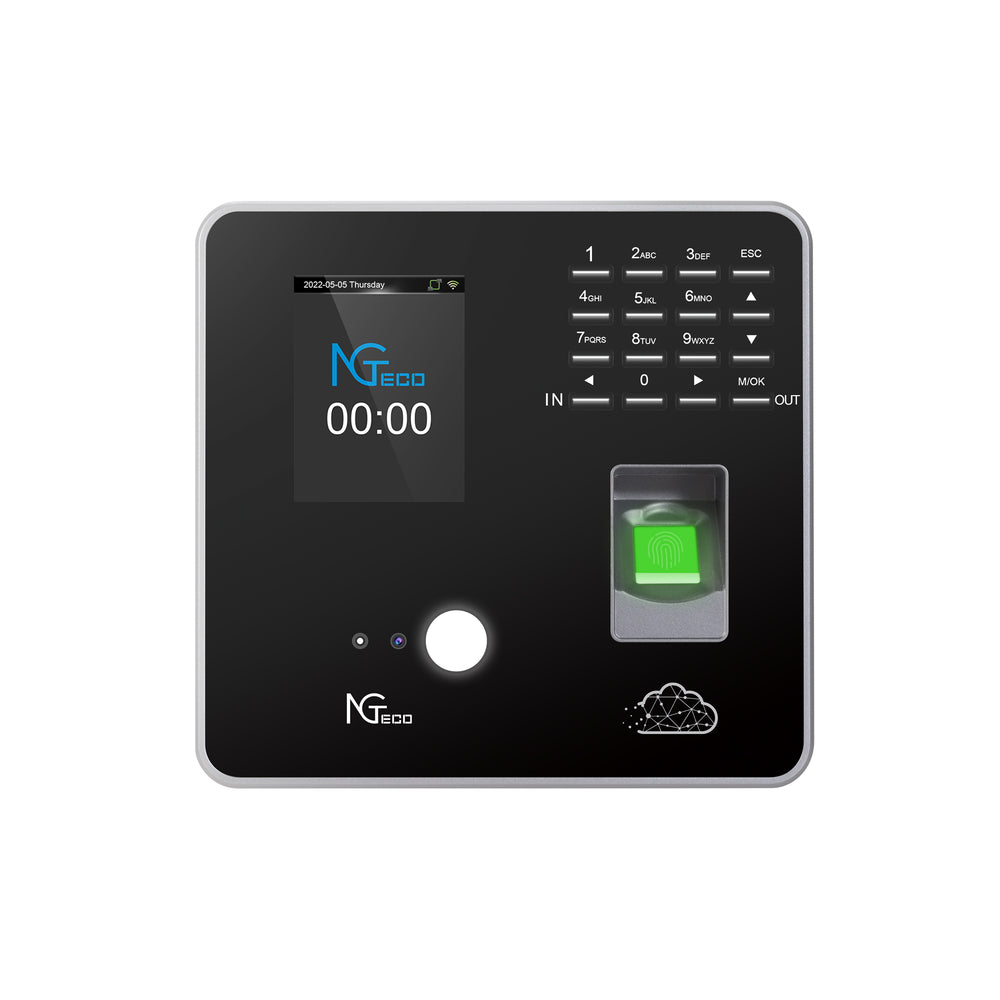
Compatibility with free or self-hosted software is where many buyers stumble. Some hardware manufacturers lock their devices into proprietary ecosystems that technically have no monthly fee but restrict you to limited, bare-bones software unless you upgrade. Before purchasing, verify that the device can export data in standard formats like CSV or connect via open protocols to third-party attendance platforms. Hardware manufacturers like NGteco, who focus on producing WiFi-enabled time clock devices with biometric capabilities, often provide flexible data export options that work with multiple software platforms. For a team of under 50 employees, a single wall-mounted unit near the main entrance typically suffices. Larger operations or businesses with multiple entry points should consider devices that support networked clustering, where several clocks sync to one central database without requiring separate software licenses for each unit.
Key Considerations: Biometrics, Connectivity, and Data Ownership
Fingerprint recognition remains the most practical biometric for most small businesses—it's fast, accurate, and the sensors have become remarkably affordable. The downside is that employees in environments with heavy dirt, grease, or moisture on their hands may experience inconsistent reads. Facial recognition solves this by requiring no physical contact, but it demands better lighting conditions and slightly more processing power, which can increase hardware cost. Some businesses opt for a hybrid approach: fingerprint as the primary method with a PIN fallback for edge cases. This balances security with practicality without overcomplicating the system.
On connectivity, your WiFi setup deserves attention before the clock even arrives. Test signal strength at the intended mounting location using your phone or a free WiFi analyzer app. If the signal drops below -70 dBm, consider adding a repeater or relocating your router. A clock that intermittently loses connection won't lose punch data—most buffer records locally—but delayed syncing creates gaps in your real-time visibility.
Data ownership is the most overlooked factor in this entire decision. When you avoid monthly fees, you're also typically avoiding cloud storage managed by a vendor. This means your attendance records live on your local network or a self-managed server. That's a significant advantage: no vendor can hold your historical data hostage if you decide to switch systems, and you maintain full compliance control over sensitive employee information. However, it also means you're responsible for backups. Set up automated daily backups of your attendance database to an external drive or a secure local NAS—losing six months of punch records to a hard drive failure is an entirely preventable disaster.
Step-by-Step Guide to Implementation and Setup
Getting your WiFi time clock from box to fully operational doesn't require an IT department—just a methodical approach and about two hours of focused setup time. Start with physical installation. Choose a mounting location near your primary entrance at a height accessible to all employees, typically between 4.5 and 5 feet from the floor. Ensure a power outlet is within cable reach, or plan for a short extension run secured against the wall. Use the mounting bracket included with most devices, drilling into a stud or using appropriate anchors for drywall. A wobbly mount leads to misreads on biometric scans, so take the extra minute to level it properly.
Next, connect the device to your business WiFi network. Power on the clock and access its administrator menu—usually by entering a default admin code printed in the manual. Navigate to network settings, select your WiFi network, and enter the password. If your router uses MAC address filtering, you'll need to whitelist the clock's MAC address first, which is typically displayed in the device's network information screen. Once connected, confirm the clock pulls the correct time from an NTP server or manually set the date and time to match your payroll week structure.
Employee enrollment comes third. For fingerprint-based systems, have each person register two or three fingers—their primary finger plus backups in case of cuts or bandages. Assign each employee a unique ID number that you'll reference later in your software. Facial recognition systems require employees to stand at the device while it captures multiple angles, a process taking roughly 30 seconds per person. Keep a written log of employee IDs during enrollment; this reference sheet saves significant troubleshooting time later.
Now configure your operational rules. Set shift start and end times so the system can flag early departures or late arrivals. Program break durations if you want automatic deductions—for example, a 30-minute unpaid lunch after six hours worked. Establish overtime thresholds matching your local labor laws, whether that's daily (over 8 hours) or weekly (over 40 hours). Most devices allow multiple shift profiles, so create separate configurations for day crews, night shifts, or weekend rotations.
Before rolling out company-wide, run a one-week pilot with five to ten employees from different roles. Ask them to report any issues: slow recognition, confusing prompts, or connectivity drops. Common problems during this phase include fingerprint rejections in cold morning conditions (solved by having employees rub their hands together before scanning) and WiFi timeouts caused by the device entering sleep mode (resolved in power management settings). Once your pilot group confirms smooth operation, enroll the remaining staff and establish the clock as your official attendance record.
Integrating with Free Attendance Management Platforms
The hardware captures raw punch data—timestamps paired with employee IDs—but transforming that into usable payroll reports and attendance summaries requires software. Several free and open-source platforms handle this effectively without introducing subscription costs. TimeTrex Community Edition offers full attendance management including scheduling, accrual tracking, and payroll export in standard formats. OpenTimeClock runs as a lightweight web application on your local network, providing browser-based access to reports from any device in your office. For businesses comfortable with spreadsheets, simply exporting CSV files from the clock on a weekly basis and importing them into a structured template works surprisingly well for teams under 20 people.
The data sync process depends on your hardware's capabilities. Higher-end devices offer direct API integration, pushing every punch record to your chosen software in real time over your local network. Configure this by entering your software's server IP address and port number into the clock's communication settings—the software documentation will specify the exact protocol, usually TCP/IP on a designated port. Mid-range devices support scheduled automatic exports, transferring data via USB or network file share at intervals you define. The simplest approach is manual: insert a USB drive into the clock, download the records, and upload them to your software weekly before payroll processing. Whichever method you choose, verify the first few syncs carefully by comparing the software's imported records against the clock's display to catch any formatting mismatches before they compound into payroll errors.
Maximizing Your System: From Basic Tracking to Advanced Management
Once your WiFi time clock is running smoothly and data flows into your chosen software, the real value emerges—not just in eliminating buddy punching or handwritten errors, but in what you can do with clean, reliable attendance data. The most immediate win is payroll accuracy. With precise punch records tied to verified employee identities, you can generate payroll reports that reflect actual hours worked down to the minute. No more rounding disputes, no more employees claiming they arrived earlier than they did. Export your weekly or biweekly totals directly into your payroll processor, whether that's a desktop application like QuickBooks or a simple spreadsheet you hand to your accountant. The reduction in payroll corrections alone often justifies the hardware investment within the first quarter.
Beyond payroll, attendance data becomes a planning tool. When you accumulate several weeks of records, patterns emerge that gut instinct alone can't reveal. You'll see which shifts consistently run short-staffed because employees arrive late, which days generate the most overtime, and where absenteeism clusters—often around specific days of the week or seasonal periods. This visibility lets you make scheduling decisions rooted in evidence rather than guesswork, reducing both overstaffing costs and the burnout that comes from chronic understaffing. For businesses with hourly workers, even a 5% improvement in scheduling efficiency translates directly to the bottom line.
Attendance data also offers a fair, objective foundation for performance conversations. Rather than relying on a manager's memory or subjective impressions, you can reference concrete records when discussing punctuality or reliability with employees. This removes personal bias from the equation and gives employees clear expectations backed by documented history. All of this—payroll precision, smarter scheduling, performance visibility—operates entirely on hardware you own and software you control, with zero recurring fees eating into the savings you've created.
Advanced Features: Streamlining Shift Scheduling and Reporting
Historical punch data transforms shift scheduling from a weekly guessing game into a data-driven process. Start by pulling a month's worth of clock-in and clock-out records, then calculate average actual hours per shift versus scheduled hours. If your morning crew consistently clocks in ten minutes early and your evening crew regularly stays twenty minutes past their scheduled end, your published schedule doesn't match operational reality. Adjust shift boundaries to reflect how work actually flows—this reduces unnecessary overtime and sets honest expectations for new hires.
Creating a sample schedule from real data works like this: identify your peak labor demand by cross-referencing attendance records with your busiest operational periods (sales data, customer traffic, or production output). Assign your most reliable employees—those with consistent on-time records—to anchor critical shifts. Fill remaining slots based on availability and historical attendance patterns, flagging employees with frequent absences for less coverage-dependent roles. This approach minimizes the disruption caused by no-shows because you've already accounted for attendance tendencies in your planning.
The reporting capabilities available through free companion software round out your management toolkit. Hour summary reports show total regular and overtime hours per employee per pay period, ready for payroll export. Absence reports highlight patterns requiring intervention—three Monday absences in six weeks, for instance, signals a conversation is needed before the pattern becomes entrenched. Overtime reports let you catch runaway labor costs mid-week rather than discovering them after payroll has already processed. Late arrival reports, when shared transparently with teams, often improve punctuality without any disciplinary action simply because employees know the data is being tracked. Configure your software to auto-generate these reports on a schedule—weekly for operational managers, biweekly for payroll, monthly for ownership review—so insights arrive without manual effort, keeping your system working for you long after the initial setup is complete.
Own Your Time Tracking: A One-Time Investment for Long-Term Savings
Implementing a WiFi time clock system without ongoing costs isn't a compromise—it's a deliberate strategy that puts you in control of both your attendance data and your budget. The path is clear: select hardware with reliable connectivity and biometric verification that exports data in open formats, mount and configure it with a methodical two-hour setup process, connect it to free or self-hosted software that transforms raw punches into actionable reports, and then leverage that clean data for precise payroll, smarter scheduling, and objective performance conversations. Every dollar you would have spent on monthly subscriptions stays in your business, compounding into meaningful savings year after year. The system you own works for you indefinitely—no vendor negotiations, no price increases, no data held hostage behind a login you're renting. For small and medium-sized business owners ready to stop paying perpetually for a problem that a single smart investment can solve, the only real question left isn't whether this approach works. It's how soon you want to start keeping that money.