
Capturing professional-grade audio with an iPhone Mini presents a unique challenge for aspiring filmmakers. While the device's compact camera capabilities have revolutionized mobile filmmaking, its built-in microphone simply cannot deliver the audio quality that serious film projects demand. Poor sound quality can undermine even the most beautifully shot scenes, making the choice of an external iPhone Mini microphone one of the most critical decisions you'll make as a film student. Audio quality directly impacts how audiences perceive your work—professionals often say that viewers will forgive imperfect visuals before they'll tolerate muddy, distorted, or inconsistent sound. This guide will walk you through the essential considerations for selecting the perfect microphone accessory for your iPhone Mini, from understanding different microphone types to mastering positioning techniques. Whether you're shooting documentary interviews, narrative dialogue scenes, or atmospheric B-roll, you'll find a clear, step-by-step framework to match your specific filming needs with the right audio solution that elevates your filmmaking from amateur to professional quality.
Understanding Your Audio Needs: The Foundation for Film Students
Before investing in any microphone equipment, film students must first assess their specific audio requirements. The microphone that works perfectly for a sit-down documentary interview will fail miserably when capturing dialogue between two actors walking through a busy street. Start by examining your typical projects: Are you primarily shooting scripted narrative scenes with controlled dialogue? Do you focus on documentary-style interviews where subjects speak directly to camera? Or are you capturing ambient soundscapes and environmental audio for atmospheric footage? Each scenario demands different audio characteristics. A narrative short film requires consistent, clean dialogue capture that matches between shots, while a documentary might prioritize mobility and quick setup times. Understanding these distinctions prevents the common mistake of purchasing a versatile "all-purpose" microphone that ultimately excels at nothing. Consider also your shooting environment—indoor studio spaces allow for more sensitive equipment, while outdoor locations demand robust wind protection and directional capabilities. The iPhone Mini's compact form factor adds another layer to this decision, as your microphone choice must balance professional audio quality with the portability that likely drew you to mobile filmmaking in the first place. Taking time to honestly evaluate your primary filming situations creates a clear target for your microphone search.
A Guide to iPhone Mini Microphone Types and Key Accessories
Selecting the right microphone category transforms your iPhone Mini from a casual recording device into a legitimate filmmaking tool. Each microphone type serves distinct purposes, and understanding these differences prevents costly mistakes and reshoot situations.
Lavalier (Lapel) Microphones: For Clear Dialogue
Lavalier microphones clip discreetly to clothing, positioning the capsule close to the speaker's mouth for consistent dialogue capture. These small condenser mics excel in interview settings and narrative scenes where actors move naturally within frame. Wired lavalier options connect directly to your iPhone Mini through a lightning adapter, offering reliability without battery concerns or interference issues. Wireless lavalier systems provide freedom of movement for run-and-gun documentary work, though they require careful frequency management in crowded shooting environments. The lightning adapter becomes an essential accessory here, bridging the gap between professional XLR or TRS connections and your iPhone's digital input.
Shotgun Microphones: Directional Audio for Focused Capture
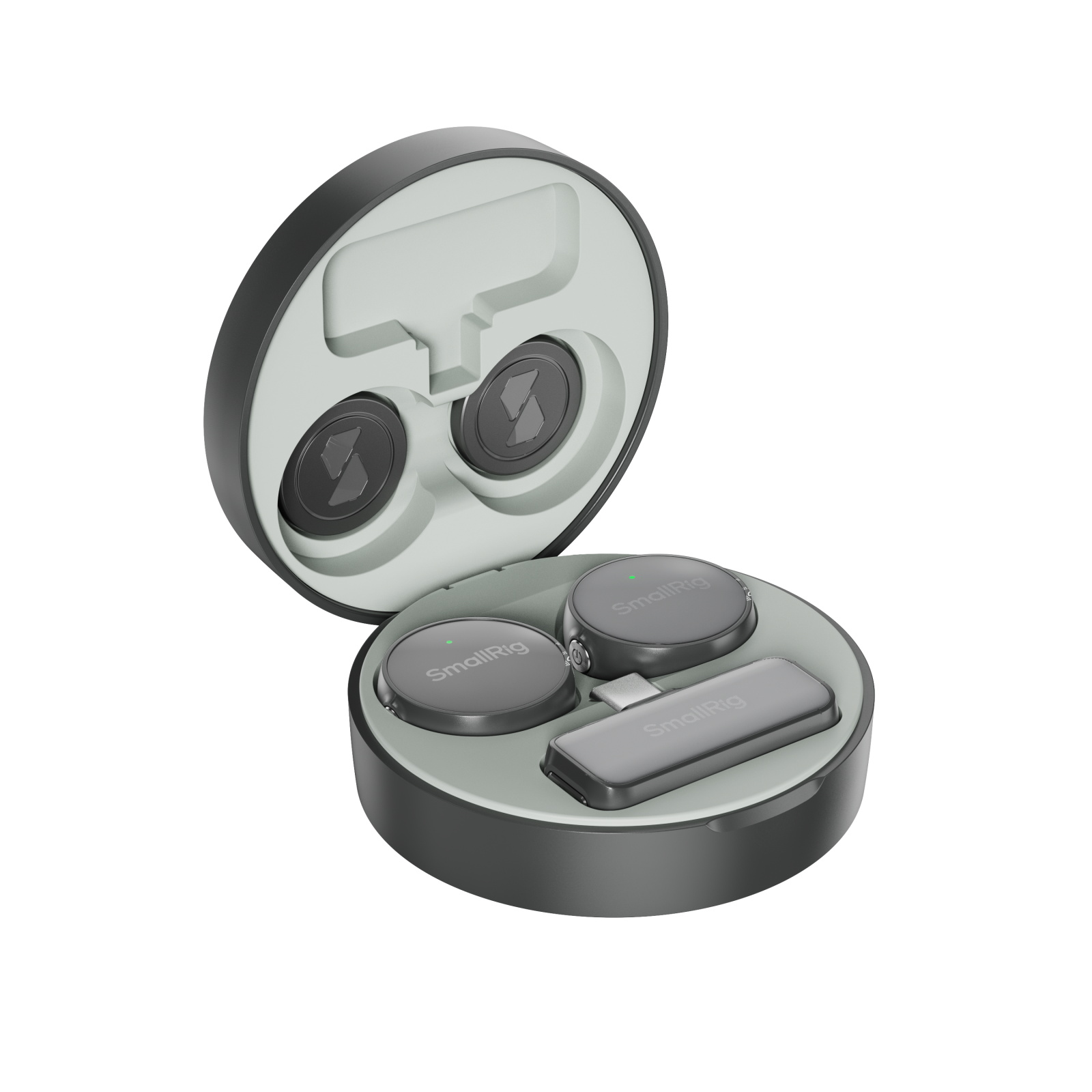
Shotgun microphones use interference tube technology to capture sound from a narrow frontal area while rejecting off-axis noise, making them ideal for isolating dialogue in less controlled environments. Mounted on a boom pole just outside the camera frame, shotgun mics follow actors through scenes while maintaining consistent audio quality. For iPhone Mini filmmakers, compact shotgun models that mount directly to smartphone rigs offer impressive directionality without the bulk of traditional broadcast equipment. A shock mount accessory proves essential for eliminating handling noise when operating the boom, while a pistol grip provides stability for handheld shots where boom operation isn't practical. Companies like SmallRig manufacture smartphone cage systems that provide multiple mounting points for microphones and accessories, allowing you to build a customized mobile filmmaking rig that keeps your audio equipment secure and properly positioned.
Handheld and Portable Audio Recorders
Dedicated portable recorders with built-in microphones or XLR inputs represent the most flexible audio solution for serious film students. These devices capture high-resolution audio files independently from your iPhone Mini, which you later sync in editing software using visual cues or timecode. This separation allows you to position microphones optimally without tethering them to your camera position, a crucial advantage when blocking complex scenes. Handheld recorders also serve as wireless microphone receivers, audio interfaces for professional XLR microphones, and backup recording systems. Though they add a synchronization step in post-production, the audio quality improvement justifies the additional workflow complexity for narrative projects demanding pristine dialogue.
How to Position Your Microphone for Optimal Sound Capture
The Rule of Proximity: Distance is Key
Microphone placement fundamentally determines your audio quality, with distance being the single most critical variable under your control. Lavalier microphones perform optimally when positioned six to eight inches below the speaker's chin, close enough to capture clear dialogue while avoiding excessive clothing rustle and breathing sounds. When clipping the mic to a shirt collar or tie, angle the capsule slightly upward toward the mouth rather than pointing it straight ahead. Shotgun microphones require different positioning—mount them on a boom pole and extend just outside your frame line, typically two to four feet from the actor's mouth depending on the mic's sensitivity and environmental noise levels. Closer positioning yields more intimate, detailed dialogue with less room tone, while greater distances incorporate more environmental ambiance into your recording. Indoor scenes in acoustically treated spaces allow for slightly increased distances, but untreated rooms with hard reflective surfaces demand closer mic placement to maintain a favorable ratio of direct sound to room reverberation. Always monitor your audio with headphones during recording, as visual distance judgments alone cannot reliably predict audio quality. The inverse square law means that doubling your microphone distance reduces volume by approximately six decibels, making precise positioning essential for consistent audio levels across your film.
Angling and Wind Protection Techniques
Proper microphone angling maximizes your pickup pattern's effectiveness while minimizing unwanted noise capture. Point shotgun microphones directly at your subject's chest rather than their head—this counterintuitive technique accounts for the microphone's frontal lobe pickup pattern and captures dialogue more naturally than aiming at the mouth. When boom operating, maintain this angle consistently as actors move through scenes, which requires practice and careful choreography planning. For outdoor filming, wind noise represents your primary enemy, capable of rendering otherwise perfect takes completely unusable. Basic foam windscreens provide minimal protection in light breeze conditions, but serious outdoor work demands furry windshields, commonly called deadcats, which can handle wind speeds up to fifteen miles per hour. Layer protection by using both foam and fur covers simultaneously when conditions warrant. Lavalier microphones hidden under clothing require careful fabric management—create a small tent of material around the capsule using medical tape or specialized mic concealers, preventing fabric from rubbing directly against the microphone element. Position lavaliers in the center of the chest when hiding them under shirts, as this location experiences less movement than shoulder or collar areas. Test your concealment technique before rolling camera, having your actor move naturally while you monitor for rustling sounds that will plague your edit.
Step-by-Step: Choosing Your Perfect iPhone Mini Microphone
Step 1: Define Your Primary Filming Scenario
Begin your microphone selection by identifying the single filming situation you encounter most frequently. Film students often work across multiple genres, but honest assessment reveals a dominant pattern—perhaps eighty percent of your projects involve sit-down interviews, or narrative dialogue scenes consistently form the backbone of your portfolio. Write down your last five projects and categorize each by primary audio challenge: controlled dialogue, moving subjects, environmental ambiance, or multi-person conversations. The category appearing most frequently defines your primary need. Documentary filmmakers gravitating toward observational styles require different tools than narrative students shooting carefully blocked dialogue scenes. This clarity prevents the paralysis of seeking one microphone for every situation, which inevitably leads to compromise.
Step 2: Set Your Budget and Research Options
Establish a realistic budget range before exploring specific models, as microphone quality generally correlates with investment. Entry-level options starting around fifty dollars provide meaningful improvements over built-in iPhone audio, while professional-grade wireless microphone systems can exceed five hundred dollars. Student filmmakers typically find the sweet spot between one hundred fifty and three hundred dollars, where build quality, audio fidelity, and essential features converge. Research brands with proven track records in mobile filmmaking—companies specializing in smartphone audio solutions often deliver better value than adapting traditional broadcast equipment. Read specifications carefully, prioritizing frequency response range, signal-to-noise ratio, and maximum sound pressure level handling for your identified filming scenario.
Step 3: Check Connectivity and Compatibility
Verify connection compatibility before purchasing any microphone for your iPhone Mini. The device uses a Lightning port, requiring either native Lightning microphones or adapters for standard audio connections. Some wireless microphone systems connect via Lightning receivers that plug directly into your phone, while others use Bluetooth connectivity with varying latency characteristics. Traditional XLR and TRS connections require Lightning-to-audio adapters, adding cost and potential failure points to your signal chain. Confirm that your chosen microphone explicitly lists iPhone compatibility, as Android-focused products may not function properly despite physical connection compatibility. Consider future-proofing your investment by selecting audio recorders or microphones with multiple connection options.
Step 4: Read Reviews and Test Before Committing
Consume multiple video reviews from working filmmakers rather than relying solely on written specifications or manufacturer claims. YouTube channels dedicated to mobile filmmaking provide real-world audio samples that reveal how microphones perform in actual shooting conditions rather than laboratory environments. Pay particular attention to reviews demonstrating your primary filming scenario—if you shoot narrative dialogue, seek reviews featuring dramatic scenes rather than vlog-style direct-to-camera content. Many camera rental houses and university equipment cages stock popular microphone options, allowing hands-on testing before purchase. Record identical test scenes with multiple microphone candidates, then compare the results through quality headphones in a quiet environment where subtle differences become apparent.
Elevate Your Mobile Filmmaking with Professional Audio
Selecting the perfect iPhone Mini microphone ultimately comes down to three fundamental factors: accurately identifying your primary filming needs, understanding which microphone type addresses those specific challenges, and mastering proper positioning techniques that maximize your equipment's potential. The ideal microphone for your film projects isn't necessarily the most expensive or feature-laden option—it's the tool that consistently solves your particular audio problems while fitting seamlessly into your mobile filmmaking workflow. Remember that audiences perceive audio quality as representing fifty percent of their viewing experience, regardless of how stunning your visuals appear. Poor sound quality immediately signals amateur production values, while clean, well-captured dialogue elevates even modestly shot scenes to professional standards. As you apply the framework outlined in this guide, approach each microphone decision as an investment in your craft rather than a simple equipment purchase. Test your chosen microphone extensively before critical shoots, develop muscle memory for optimal positioning, and always monitor audio through quality headphones during recording. Your iPhone Mini combined with the right microphone accessory becomes a legitimate filmmaking tool capable of capturing broadcast-quality audio. Take action now by defining your primary filming scenario, researching appropriate microphone categories, and committing to the audio excellence that distinguishes memorable films from forgettable footage.